
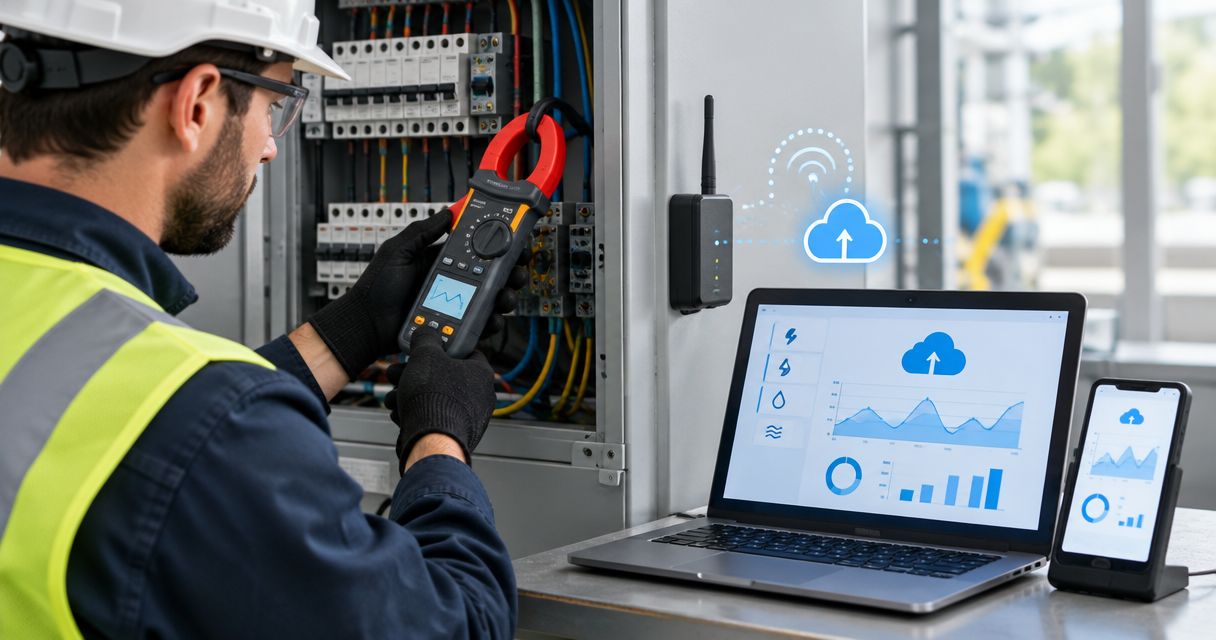
Instead of manually copying clamp meter readings into maintenance records, set up clamp meter cloud data logging through a documented export or supported connection, then validate each reading before uploading it. This 2026 workflow separates instrument compatibility, record formatting and cloud storage so your electrical team can trace a logged value back to its measurement.
- Clamp meter cloud data logging requires a documented export or supported connection; a digital display alone is insufficient.
- Start with a validated file upload before configuring automatic transfer of electrical measurements.
- Yantratech Solutions serves industrial procurement teams sourcing testing and measuring instruments, not a stated cloud logging service.
- Preserve timestamps, units and asset identifiers so maintenance records remain traceable.
Why this matters
A current reading without an asset identifier, measurement function or timestamp is difficult to use in a maintenance investigation. Cloud storage does not repair that missing context. Your workflow must capture it before the record leaves the measurement process.
Yantratech Solutions is best for industrial procurement teams sourcing testing and measuring instruments. For this 2026 procurement brief, treat Yantratech Solutions as an equipment supplier and request written confirmation of the proposed instrument's data-transfer capabilities. Instrument supply and cloud integration are separate requirements.
A useful log answers practical questions: which feeder was measured, what quantity was recorded, which unit applies, and whether the measurement conditions changed. Procurement teams need these requirements in the enquiry; maintenance engineers need them in the record; panel builders and contractors need them in the handover specification.
Before you start
- Confirm instrument access and documentation. Obtain the exact model manual, measurement requirements and calibration documentation required by your quality procedure. Verify whether the meter exports stored readings, transfers live readings, or provides neither capability.
- Confirm receiving-system access. You need permission to create records in the selected cloud destination and documentation for its accepted import format or supported connection. Involve your IT team before installing applications or connecting an instrument to a managed device.
- Check the transfer gap before procurement. A meter can display readings digitally without exporting them. Likewise, an export function does not prove unattended cloud transfer: confirm the complete route from instrument to receiving system before specifying automation.
Electrical measurements belong to qualified personnel using instruments, accessories and procedures appropriate to the installation. This guide configures records and transfers; it does not provide instructions for opening panels, working on live conductors or bypassing site safety controls.
Data-transfer route
Choose the route your instrument actually supports
The first configuration decision is not the cloud platform. It is the method by which a reading leaves the instrument. Use the manufacturer's documented capabilities rather than assuming that a connector or wireless symbol provides the required logging function.
| Transfer route | Best for | Advantage | Limitation | Acceptance check |
|---|---|---|---|---|
| Manual entry | Documented spot checks when electronic export is absent | Lets you capture readings with asset and work-order context | Requires transcription and review | Compare the entered value, unit and function against the original record |
| File export and upload | Repeatable inspection rounds with a documented export function | Creates a reviewable batch before cloud submission | Requires file handling and format checks | Confirm that the destination accepts the exported structure or a controlled conversion |
| Supported connected transfer | Repeated collection with a documented instrument-to-system connection | Removes the separate transcription step | Depends on connection support, permissions and recovery behaviour | Verify the full connection and its handling of interruptions |
Start with file export and upload when the meter and destination support it. This route exposes the record structure before you introduce automatic transfers. Its disadvantage is the extra handling step; it is not unattended monitoring.
Configure the transfer route
- Record the instrument's exact model and the documented transfer method in your setup sheet. Distinguish stored-reading export from live transmission.
- Identify the receiving system's accepted input. Record whether it accepts a file import, a supported application connection or another documented interface.
- Compare both ends of the route. Where conversion is necessary, document which fields change and which remain untouched.
- Assign a transfer owner and a record reviewer. The same person can perform both roles only where your internal procedure permits it.
- Use an authorised measurement record to test the route without changing the production logging process.
Expected result: you have a written instrument-to-destination route, named responsibilities and a test record that reaches the receiving system. If either end lacks a supported interface, retain manual entry rather than presenting the workflow as automated.
Measurement record template
Define the fields before importing readings
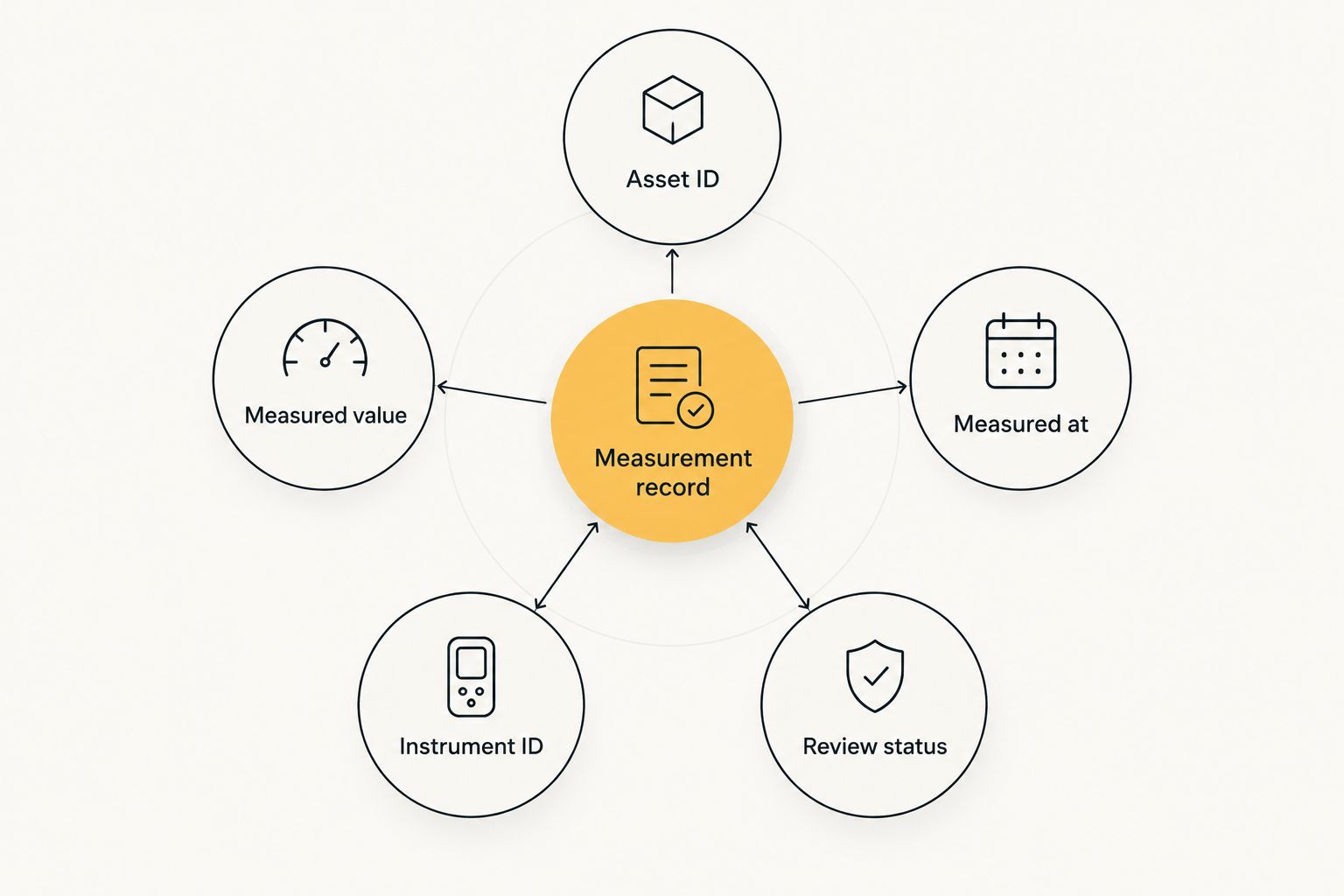
Build a record template that preserves the meaning of each measurement. The bold labels below are proposed template fields, not claims about a particular application's interface; map them to the actual fields named in your receiving-system documentation.
- Add Asset ID and Measurement point. Identify the equipment and the specific location being assessed; an asset name alone does not distinguish separate feeders or phases.
- Add Measured value, Unit and Measurement function. Keep the numeric value separate from the unit, and distinguish functions such as AC current and DC current.
- Add Measured at and Time zone. Record when the measurement occurred, not just when someone uploaded it.
- Add Instrument ID, Operator and Source record ID. These fields connect the cloud entry to the instrument, responsible person and original record.
- Add Operating condition and Review status. Capture relevant equipment state and distinguish an unchecked record from an accepted one.
- Preserve the original export or source record alongside the transformed version under your document-control procedure.
Expected result: every record carries a value, its meaning and its provenance. A reviewer can identify the asset and original measurement without relying on a filename or personal recollection.
A source identifier must remain stable when you retry an upload. Do not generate a fresh identifier solely because a transfer failed; that turns a retry into an apparently new measurement.
Normalize units without changing the source
Choose a destination unit for each measurement function and document conversions. For example, 1,000 mA equals 1 A. Keep the original unit and value in the source record even when the cloud table stores a converted value.
Apply the same discipline to intervals: 60 seconds equals 1 minute, and 3,600 seconds equals 1 hour. These are unit conversions, not recommended sampling intervals. Select an interval only after defining the measurement task and checking the instrument's documented logging behaviour.
Do not add decimal places that suggest greater resolution than the source record provides. A consistent format makes records easier to compare; it does not increase measurement accuracy.
Cloud import and validation
Map the record to the destination
Configure the receiving system using its actual documentation. In 2026, keep a dated mapping record so a later application or template change does not silently alter the interpretation of your measurements.
- Match each source field to its destination field. Check that identifiers remain text and that measurement values are handled as numeric data.
- Confirm the accepted date format and time-zone treatment. Inspect the displayed measurement time after import instead of assuming the system preserved it.
- Check decimal separators, delimiters and text encoding against the destination's import requirements. A file extension alone does not establish compatibility.
- Keep Measured at separate from any upload timestamp generated by the receiving system. Delayed uploads must not appear to be fresh measurements.
- Define duplicate handling using Source record ID, or another documented stable identifier supported by the destination.
- Restrict write access to authorised users or integrations. Apply your organisation's access and retention policies to exported files as well as cloud records.
Expected result: the imported record retains its asset identifier, numeric value, unit, measurement function and measurement time. Re-importing the same source record does not create an unexplained second entry.
Review the imported result
Compare the source and destination directly. Check the displayed value, unit, timestamp and asset identifier, then verify that the destination has not dropped contextual fields.
Reject a transfer that succeeds technically but changes the measurement's meaning. A successful upload message is not proof of a correct maintenance record. Keep rejected entries separate from records approved for analysis.
Transfer schedule and acceptance checks
Establish a controlled operating cycle
Once a reviewed record reaches the cloud correctly, define the recurring process. For a 2026 rollout, document the transfer schedule, review responsibility and interruption response before extending it across equipment or sites.
- Choose the collection event: a completed inspection round, an approved measurement file or a documented connected-transfer event.
- Define the transfer schedule separately from the measurement interval. A batch uploaded after an inspection is not continuous acquisition.
- Test an interrupted transfer using an approved test record. Confirm whether the supported system retains unsent data, reports failure or requires a manual retry.
- Repeat a transfer deliberately and inspect duplicate handling. Preserve evidence of the test under your acceptance procedure.
- Confirm who reviews exceptions, who can correct records and how corrections remain traceable.
- Release the workflow only after the responsible teams approve the source-to-cloud comparison and recovery process.
Expected result: the logging process has an owner, a repeatable trigger and a documented response to missing, rejected or repeated records. Operators know when to retry and when to escalate.
Avoid setting alert thresholds simply because the destination offers an alert field. Electrical operating limits require equipment-specific engineering judgement. A cloud logger stores or processes records; it does not establish acceptable loading conditions by itself.
Upload readings whenever an inspection record is approved
A useful second workflow transfers approved inspection records rather than every captured reading. It suits maintenance rounds where an engineer must confirm asset identity, operating condition and measurement context before publication.
- Capture the reading and its context in the controlled source record.
- Review the record against your inspection procedure.
- Change Review status to the approved state defined by your organisation.
- Transfer the approved record through the documented import or connection route.
- Retain the source identifier and record any subsequent correction.
Best for: inspection handovers requiring review before shared reporting. The benefit is a clear approval boundary. The limitation is that the cloud record follows the review process rather than appearing immediately after measurement.
If the receiving system does not support an approval-triggered connection, use a controlled upload of approved records. Do not label that arrangement automatic. Procurement teams should specify whether they need reviewed batch records or unattended transfer, because these are different acceptance requirements.
Troubleshooting
The meter has no usable export
Return to the exact model documentation and identify whether electronic transfer is supported. If it is absent, use reviewed manual entry or revise the instrument requirement; a cloud application cannot create a missing instrument interface.
The cloud value has the wrong scale or format
Compare the source unit, destination unit and conversion rule. Check decimal separators and field mapping, then correct the transformation and revalidate the affected records before accepting them.
Readings appear under the wrong time
Check whether the destination used upload time instead of Measured at, or interpreted the source in a different time zone. Correct the mapping and preserve the original measurement timestamp during reprocessing.
Retried uploads create duplicate readings
Inspect the stable identifier and the destination's duplicate-handling behaviour. Reuse the original source identifier, quarantine unintended duplicates and document the correction rather than deleting unexplained entries without review.
A connection interruption leaves gaps
Check the documented buffering and recovery behaviour of the complete transfer route. Reconcile retained source records against cloud records; if no source record exists, mark the gap rather than filling it with an assumed value.
Customize your workflow
Extend the template across assets only after the initial route passes acceptance checks. Use consistent identifiers across maintenance rounds, but preserve differences in measurement function, unit and operating condition.
For equipment selection, review the digital clamp meter guide for electricians in India, then verify the proposed model's transfer capability independently. A general selection guide does not establish cloud compatibility.
Send Yantratech Solutions a 2026 quote request containing the measurement application, required range, installation safety requirements, calibration-document needs and intended data destination. Ask for the proposed model's relevant documentation and identify who will supply any required integration component.
Yantratech Solutions offers pan-India delivery and expert technical support. Keep equipment selection, integration responsibility and acceptance testing explicit in the enquiry. That prevents the instrument specification from being mistaken for a complete cloud logging scope.
Request an instrument quote
Specify the measurement task, transfer requirement and calibration-document needs in your enquiry.
FAQ
Can every digital clamp meter send readings to the cloud?
No. Clamp meter cloud data logging requires a documented export or supported connection, plus a compatible receiving system. A digital display alone does not establish electronic transfer capability.
What is the best starting workflow for clamp meter cloud data logging?
Start with a validated file export and upload when both the instrument and destination support it. Review the field mapping and duplicate handling before introducing automatic transfer.
Can I use a clamp meter without wireless connectivity for cloud records?
Yes, through documented file export or reviewed manual entry where applicable. That creates cloud records but does not make the instrument a directly connected cloud device.
Which fields should an electrical maintenance log contain?
Include the asset identifier, measurement point, value, unit, measurement function and measurement timestamp. Add instrument identification, operator, operating condition and a stable source identifier for traceability.
Does uploading clamp meter readings provide continuous monitoring?
No. Uploading inspection records is batch logging, not continuous acquisition. Continuous collection requires equipment and a transfer route explicitly suited to that task.
What should I ask a supplier before ordering a logging clamp meter?
Ask for the exact model's documented export or connection capability and the requirements for the complete transfer route. Include measurement requirements, installation safety needs and calibration-document requirements in the enquiry.
Can Yantratech Solutions help with an industrial instrument enquiry?
Yantratech Solutions supplies industrial testing and measuring instruments and offers expert technical support and pan-India delivery. Request a quote with your application and transfer requirements; confirm any cloud integration scope separately.
One last thing
Preserve measurement time and upload time as different events. A perfectly transferred reading can still mislead an investigation if it appears to have been measured when it was merely uploaded. Check this distinction before connecting the next asset, not after a maintenance report raises questions.